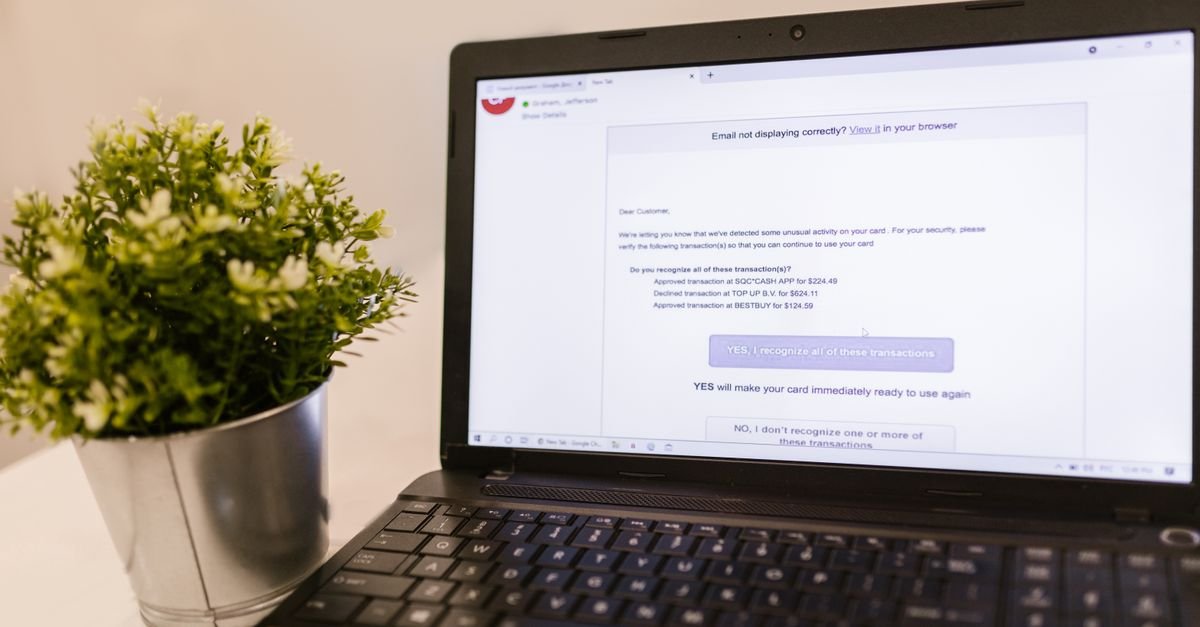
In thirty years of IT support, if I had to name the single technique behind the most account takeovers I’ve dealt with, it wouldn’t be password cracking or some exotic exploit. It would be phishing — tricking a person into handing over their own credentials. It works because it targets the human, not the technology, and humans are reliably busy, distracted and trusting. The good news is that phishing follows recognisable patterns, and once you know what to look for, you can spot the overwhelming majority of attempts in seconds. This is the field guide I wish everyone had.
What phishing actually is
Phishing is any attempt to deceive you into revealing sensitive information — usually a password, a verification code, or financial details — or into installing something harmful. The classic form is an email pretending to be from a company you trust, with a link to a fake login page that looks identical to the real one. You type your password; it goes straight to the attacker.
It has since spread to every channel. “Smishing” is phishing by text message — the fake parcel-delivery notice is the most common example. “Vishing” is phishing by phone call, often someone claiming to be your bank’s fraud department. The channel changes; the goal never does. Someone wants you to act quickly and hand over something valuable.
The seven warning signs
Almost every phishing attempt trips at least one of these wires. Train yourself to notice them and you’ll catch the vast majority.
1. Urgency and threats. “Your account will be suspended in 24 hours.” “Suspicious activity detected — verify immediately.” Manufactured urgency is the most reliable tell of all. Its entire purpose is to make you act before you think. Real organisations rarely give you a frantic countdown to hand over information.
2. A request for credentials or codes. No legitimate bank, government body, or reputable company will ever email, text or call to ask for your password, your full card number, or a one-time verification code. A code is the one thing nobody else should ever have. The moment something asks for it, you’re being attacked. Full stop.
3. A mismatched or lookalike sender and link. The display name says “PayPal” but the actual email address is service@paypa1-secure.com. Hover over (or long-press on mobile) any link before tapping and read the real destination. Attackers use lookalike domains — a swapped letter, an extra word, a different ending — that glance correctly but aren’t the real site.
4. Generic or slightly-off greetings. “Dear Customer” or “Dear user@email.com” where your real bank would use your name. Conversely, some targeted attacks use your name correctly, so this works better as a red flag than a green light.
5. Language and formatting that’s not quite right. Awkward phrasing, odd spacing, a logo that’s slightly the wrong size or colour. AI has made phishing text much cleaner than it used to be, so don’t rely on bad grammar alone — but anything that feels subtly off deserves suspicion.
6. An unexpected attachment or login link. You weren’t expecting an invoice, a shared document, or a “confirm your details” link, yet here one is. Unexpected is the operative word. Attachments can carry malware; links lead to fake pages.
7. An offer that’s too good, or a problem you didn’t have. A refund you didn’t request, a prize you didn’t enter, a delivery you weren’t expecting. These exploit either greed or worry to get you clicking.
The one habit that defeats most phishing
If you remember nothing else, remember this: never log in or enter sensitive details by following a link someone sent you. Instead, go to the site yourself — type the address into your browser, or use your own saved bookmark or the official app.
This single habit neutralises the core mechanism of phishing. It doesn’t matter how convincing the fake email or page is if you simply never use its link to log in. Got an alarming message from “your bank”? Don’t tap the link. Open your banking app or type the bank’s address yourself and check. If the alert is real, it’ll be waiting for you there. If it isn’t, you’ve lost nothing.
A useful side effect: a password manager helps here automatically. Because it fills your login only on the exact domain it saved the password for, it will silently refuse to auto-fill on a lookalike phishing page. If your manager isn’t offering to fill in your password on a “login” page, that’s a strong signal the page isn’t the real site.
Technology that makes phishing fail
Good habits are the first line of defence, but you can also stack the deck so that even a momentary lapse doesn’t cost you. Two technologies matter most.
Phishing-resistant authentication. Passkeys and hardware security keys are cryptographically tied to the genuine website’s domain. They physically cannot authenticate on a fake site, which means that even if you’re fooled into visiting one, there’s nothing for it to steal. This is the strongest protection that exists, and I cover it in detail in my guides on passkeys and on two-factor authentication.
Unique passwords everywhere. If you do get phished on one site, a unique password limits the blast radius to that single account — the attacker can’t reuse it elsewhere. Combined with strong two-factor authentication, a phished password alone often isn’t enough to get in. Generate unique passwords easily with our password generator, which runs entirely in your browser.
What to do if you think you’ve been phished
Mistakes happen — to careful people, on bad days. If you’ve entered your details on a page you now suspect was fake, act quickly and in order. Change the password on that account immediately, then change it anywhere else you reused it, because the attacker will try it elsewhere within minutes. Turn on (or check) two-factor authentication on the account. Watch for any unexpected password-reset emails or login alerts, and check the account’s recovery settings for changes you didn’t make. If financial details were involved, contact your bank. I walk through the full recovery sequence in my guide on what to do after a breach.
The worst response is paralysis from embarrassment. Speed limits the damage; silence lets it spread.
The bottom line
Phishing remains the most successful attack technique not because it’s sophisticated but because it targets human attention rather than software. That’s also its weakness: it relies on you reacting quickly and trusting a link. Slow down when something pushes you to hurry, never enter credentials via a link you didn’t seek out, and back it up with a password manager and phishing-resistant logins. Do that, and the attack that fools the most people will reliably bounce off you.
Worried a password may already be compromised? Test its strength privately with the PassGuard Check strength tester — all analysis happens locally in your browser, and nothing you type is ever stored or sent.